To empty your Junk folder in Ecenica Webmail, click the ‘Empty’ link that can be found in the bottom left.
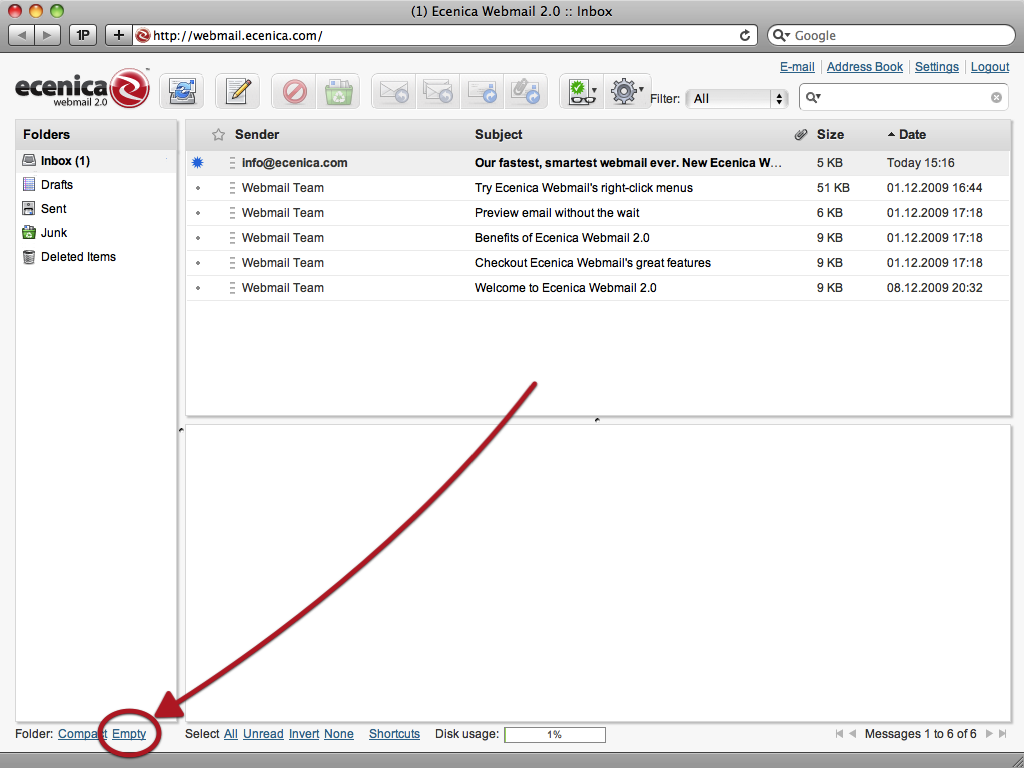
Please note that after you have clicked the Empty link all emails will be permanently deleted from your Junk folder and cannot be recovered.
To empty your Junk folder in Ecenica Webmail, click the ‘Empty’ link that can be found in the bottom left.
Please note that after you have clicked the Empty link all emails will be permanently deleted from your Junk folder and cannot be recovered.
Thanks for your feedback — it helps us improve our guides.
Open a ticket and link to this guide so our team can see what you have tried.
Built for WordPress and serious websites. Fast, secure and supported by real people in the UK.
