Use the steps below to create subdomains in cPanel on your Ecenica web hosting package.
Create a Subdomain
- Log in to cPanel.
- For help accessing your cPanel see Where do I log in to my hosting control panel.
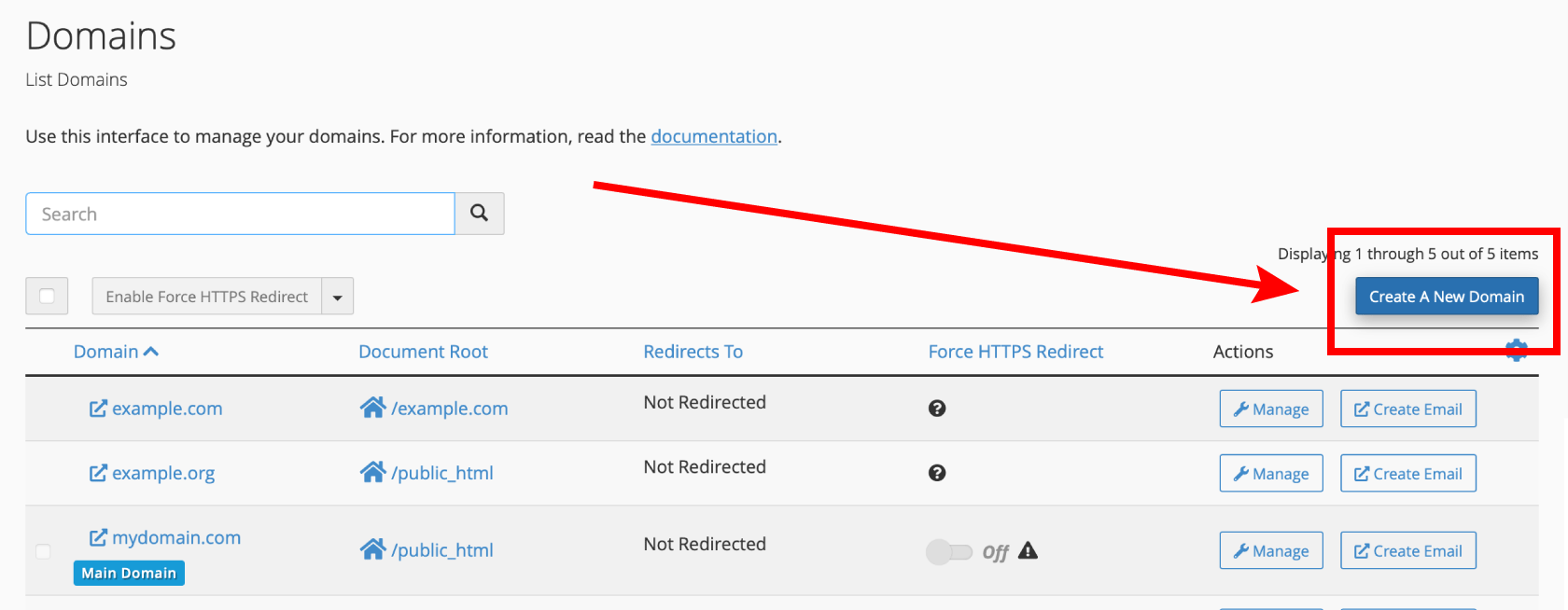
- Click Domains.

- Click Create A New Domain.
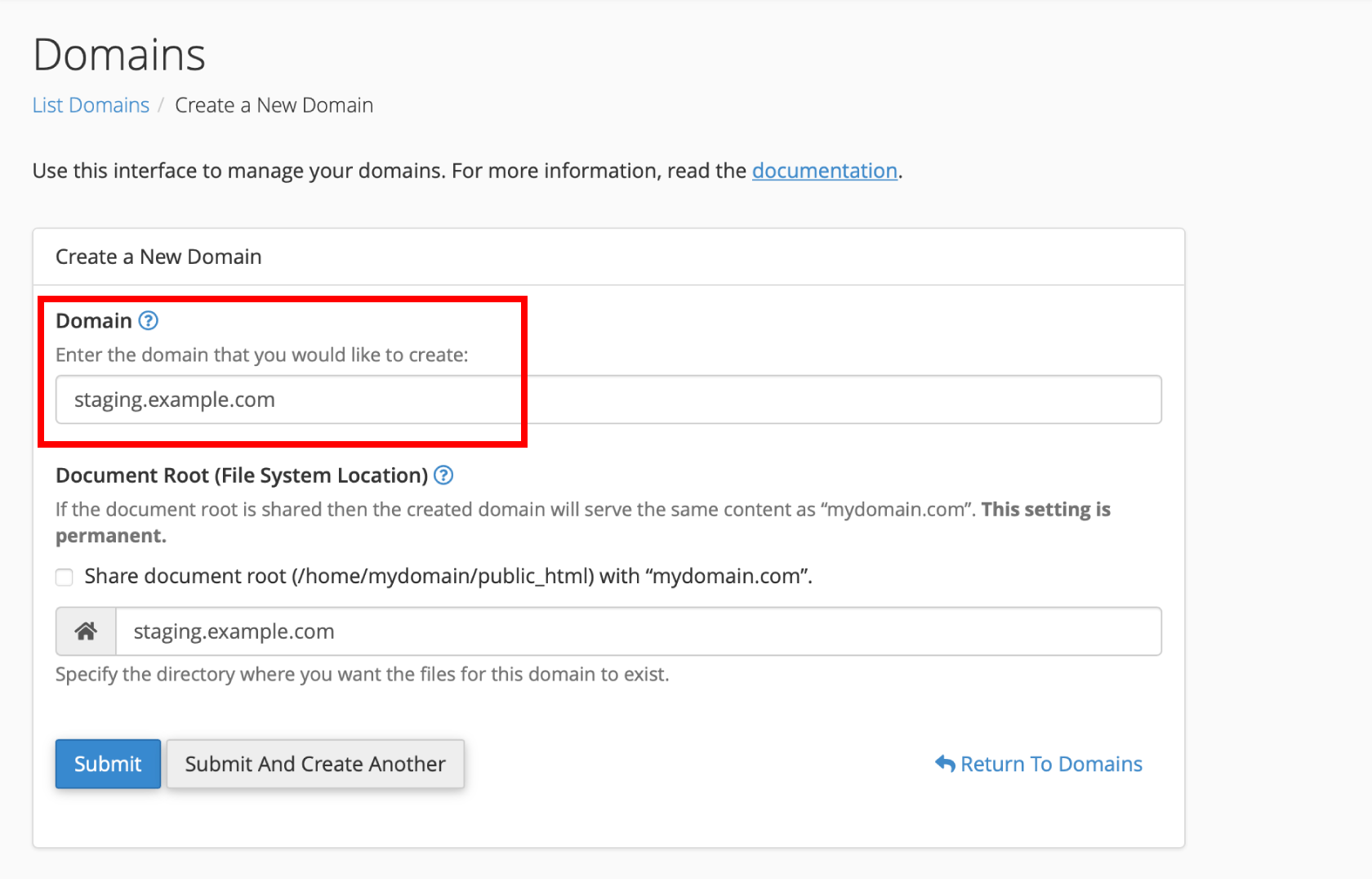
- Enter the subdomain you wish to create. E.g. staging.example.com. Click Submit
Your subdomain will be instantly setup. However it can take up to 24 hours for a new subdomain to fully propagate around the world and DNS caches to clear. During this time you may not able to access your new subdomain.
Subdomain Troubleshooting
I’ve added my subdomain, but when I view it in my web browser it’s not connected to my Ecenica hosting service
Sub domains use the DNS of the domain they are connected to. If your domain is registered elsewhere or pointing to 3rd-party name servers you will need to connect your domain to your Ecenica hosting service for your sub-domain to resolve.
