- Login to your Ecenica cPanel.
- Click Softaculous.
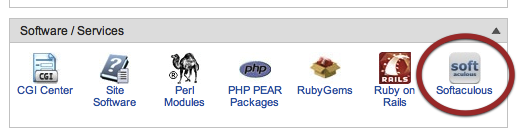
Softaculous button in control panel - Click on Zen Cart.

Zen-Cart-in-Softaculous - Click ‘Install’ tab.

Zen-Cart-Install - Fill in your details, and click Install.
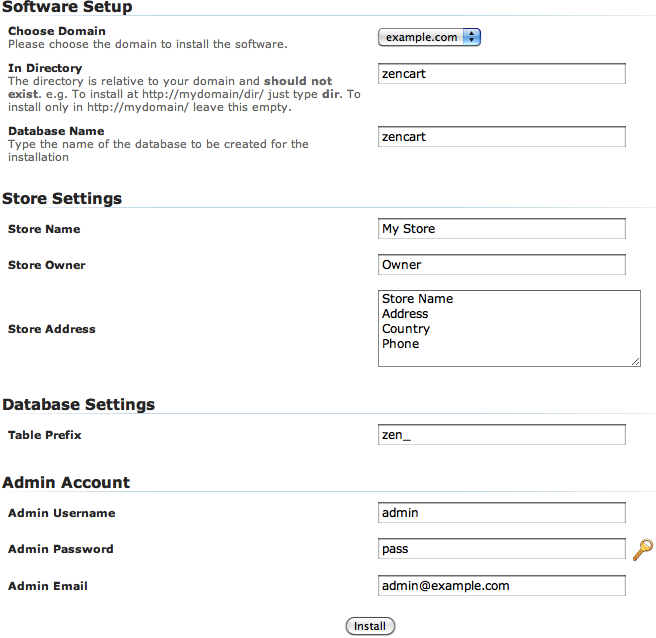
Custom-settings-for-Zen-Cart
Was this guide helpful?
Thanks for your feedback — it helps us improve our guides.
Need help with this?
Open a ticket and link to this guide so our team can see what you have tried.
