Ecenica WordPress hosting includes a number of additional security measures you can add to your WordPress sites in just a few clicks.
- Log in to your Ecenica Dashboard
- Click Manage next your Ecenica hosting service.
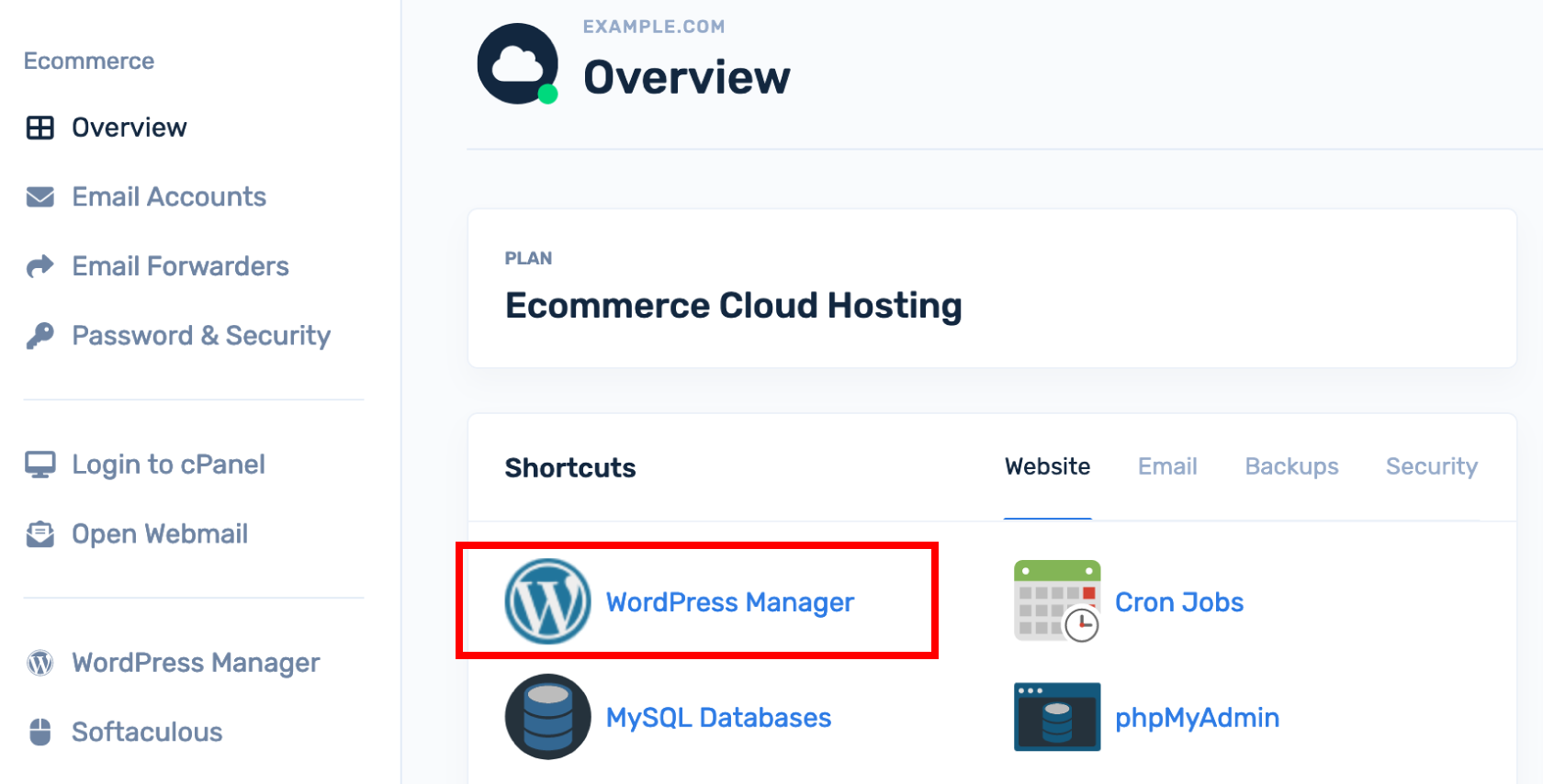
- Click WordPress Manager .
- Click the down arrow to open your website’s options.
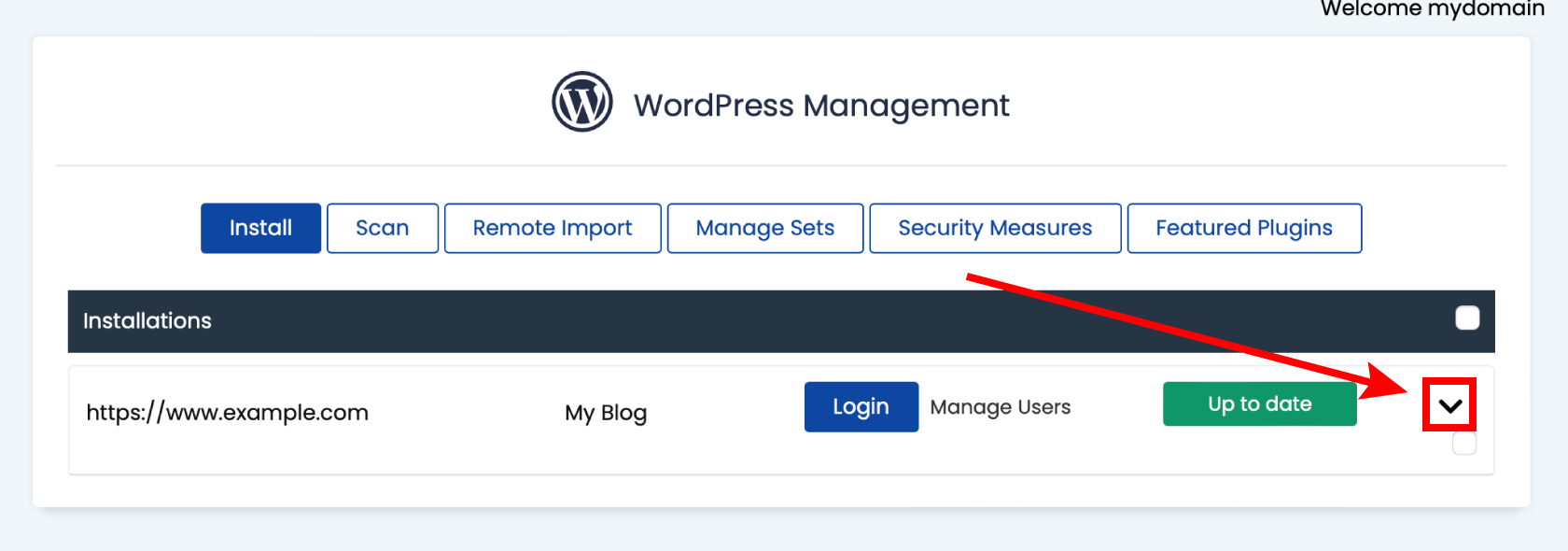
- Click Security Measures.
- Select All and click Apply.
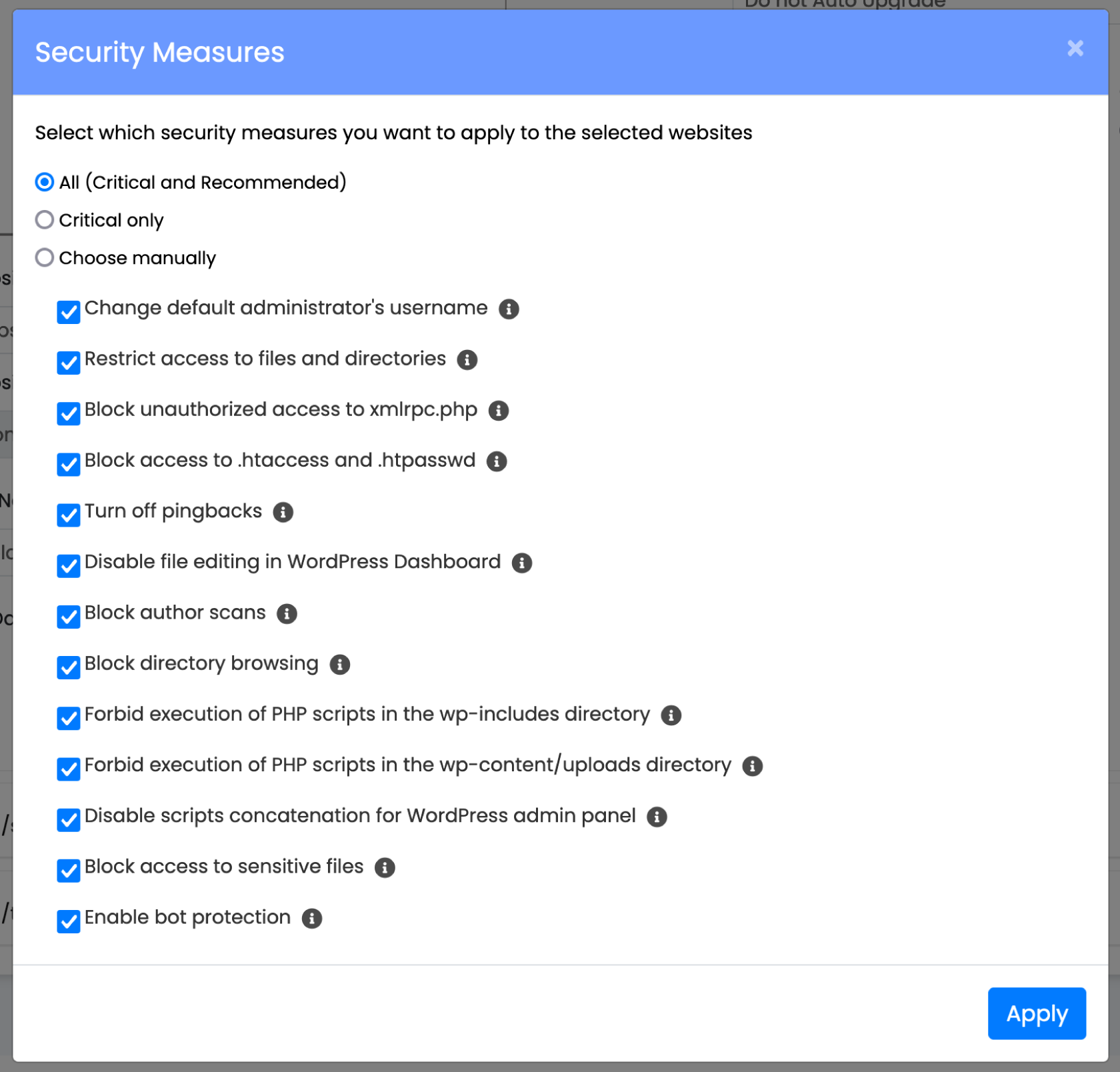
- Check and test your WordPress site is working normally. You may need to modify your security settings and remove some security measures if your website is not functioning as expected.
