In this article we detail how to export your WooCommerce orders from your WordPress to a export file and how to import the WordPress export file into another WordPress website. This is useful if you are working on a staging website and need to import orders from the live website.
Steps to Export WooCommerce Orders to a file
- Log in to your WordPress Dashboard.
- For help accessing your cPanel see How to Login to WordPress.
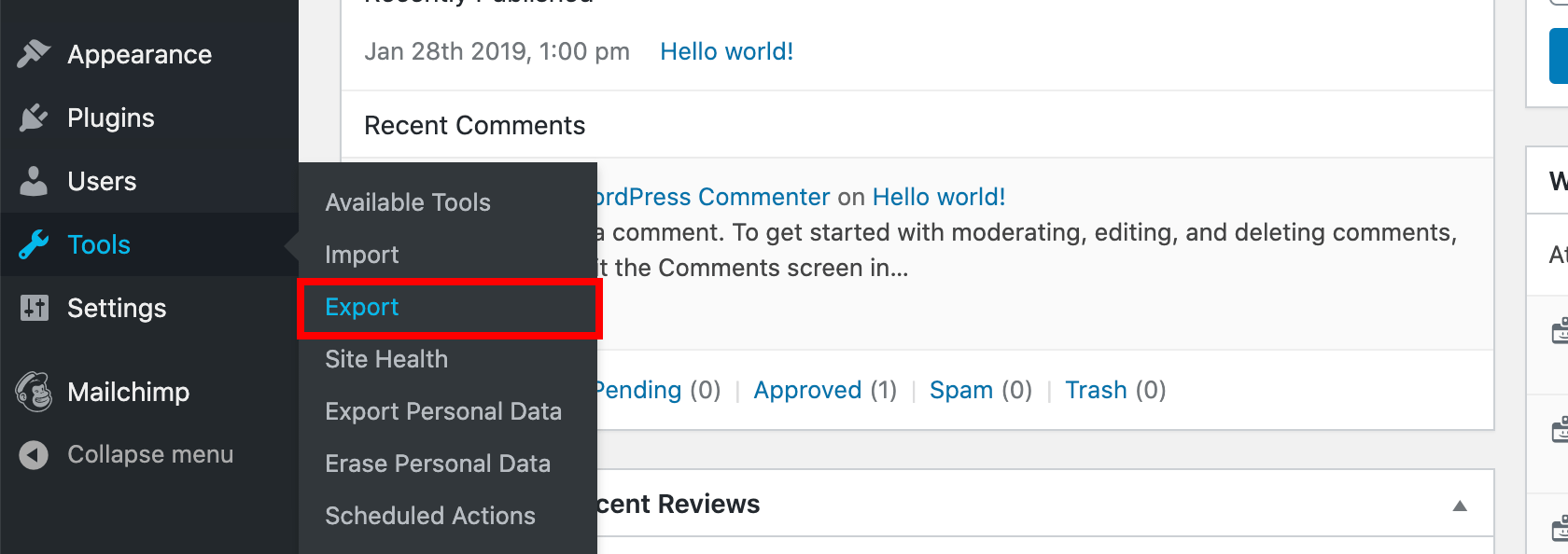
- Click Tools > Export.
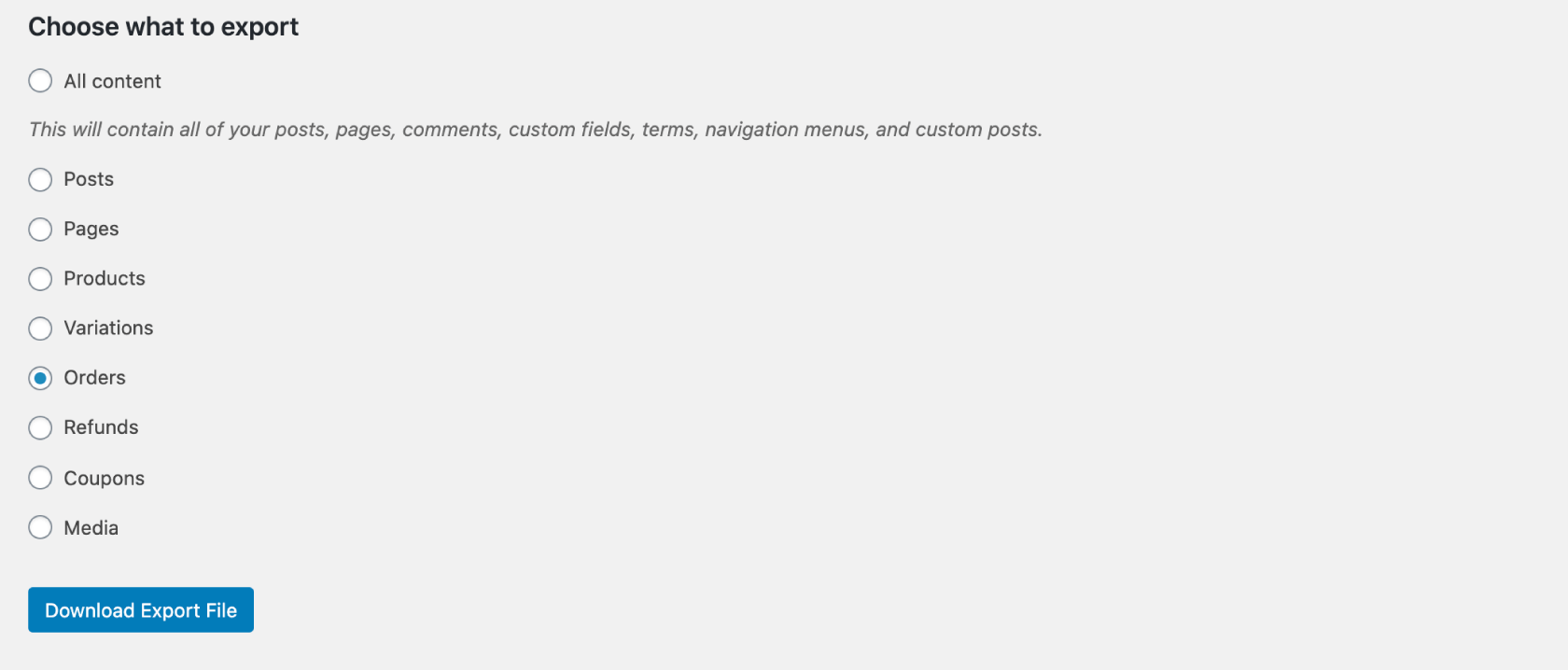
- Select Orders and click Download Export File.
Steps to Import WooCommerce Orders from a file
- Log in to your WordPress Dashboard.
- For help accessing your cPanel see How to Login to WordPress.
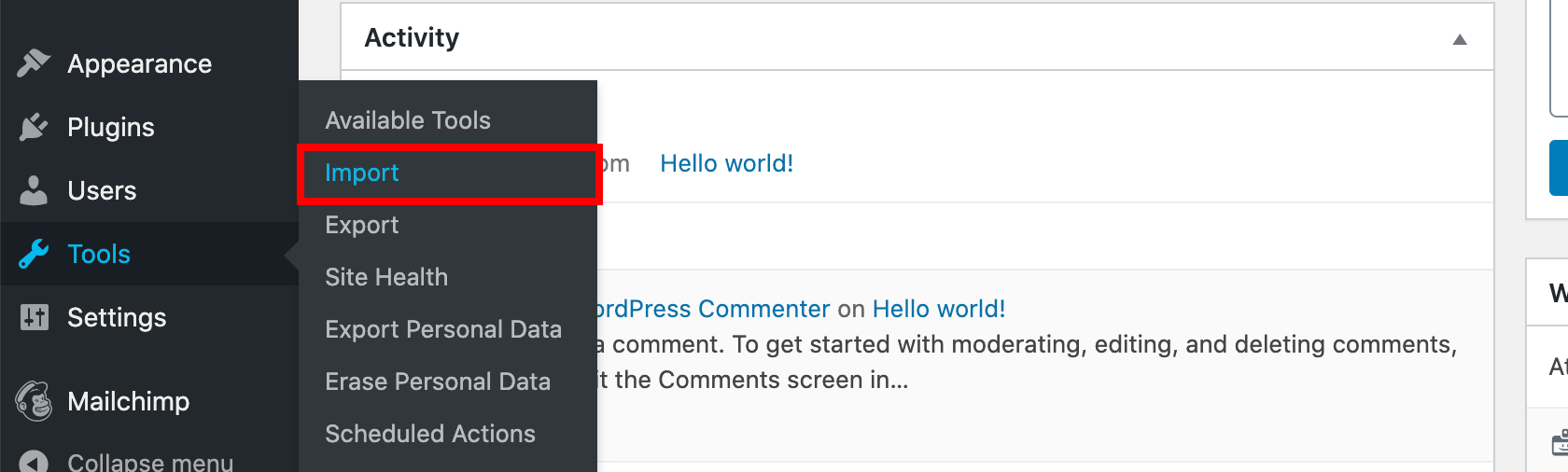
- Click Tools > Import.
- If you have not imported before, click Install Now under WordPress.

- Click Run Importer under WordPress.

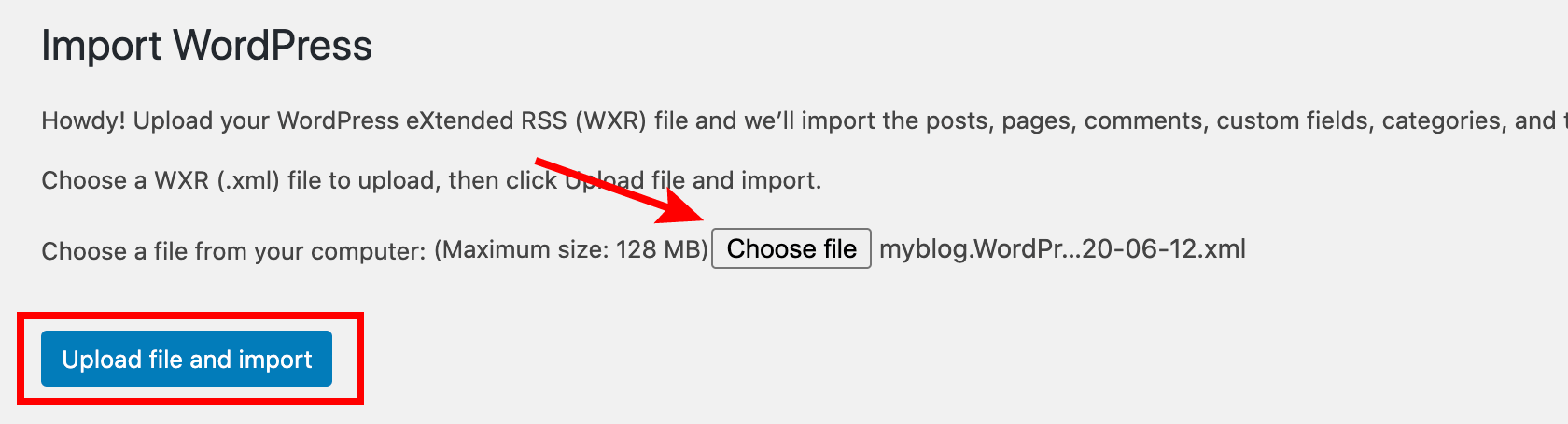
- Click Choose File and select your import file. Click Upload file and import.
- Choose to import the author, create a new user or assign posts to an existing user.
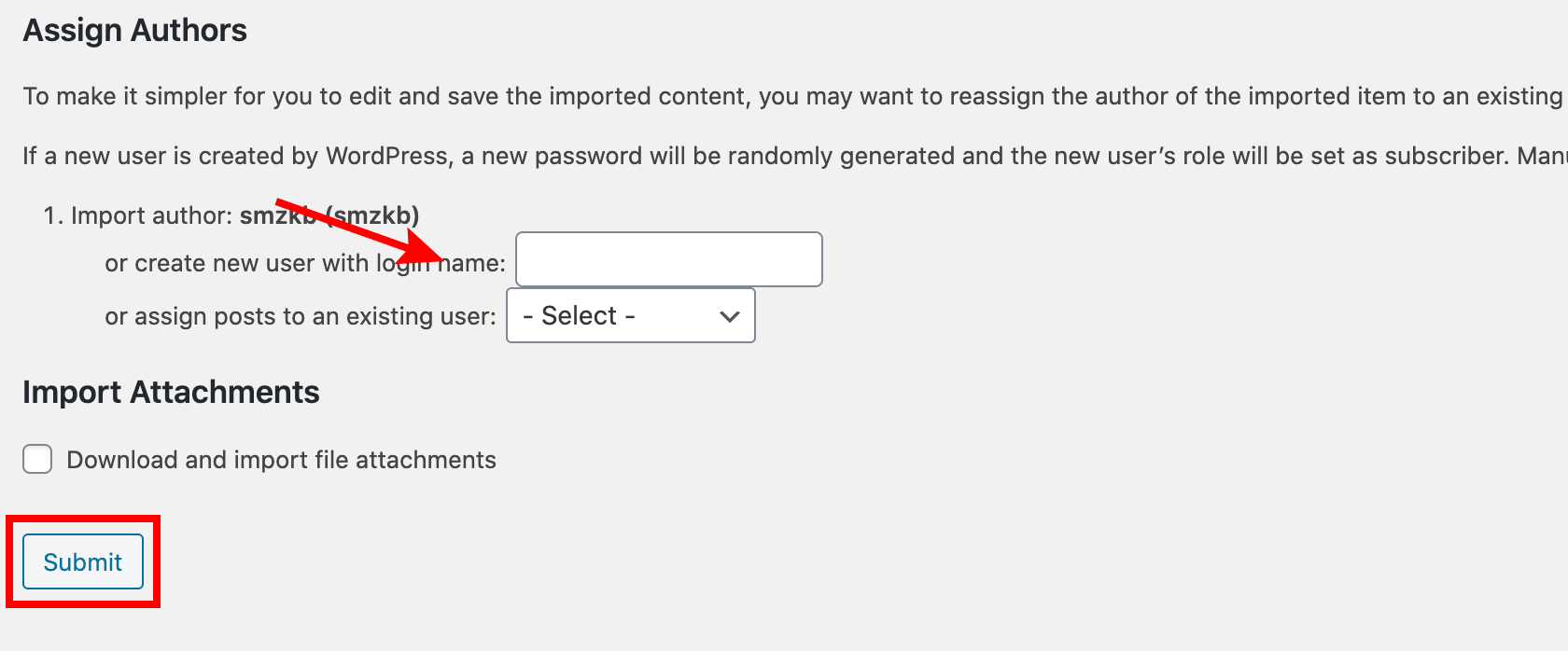
- Click Submit
