In this help guide we explain how you can change your PHP upload_max_filesize setting on your Ecenica web hosting or WordPress hosting plan.
Ecenica web hosting plans allow you set custom PHP settings and choose what PHP versions you want to run.
Steps to change your PHP upload_max_filesize
- Log in to cPanel.
- For help accessing your cPanel see Where do I log in to my hosting control panel.
- Click Select PHP Version.

- Click Options.

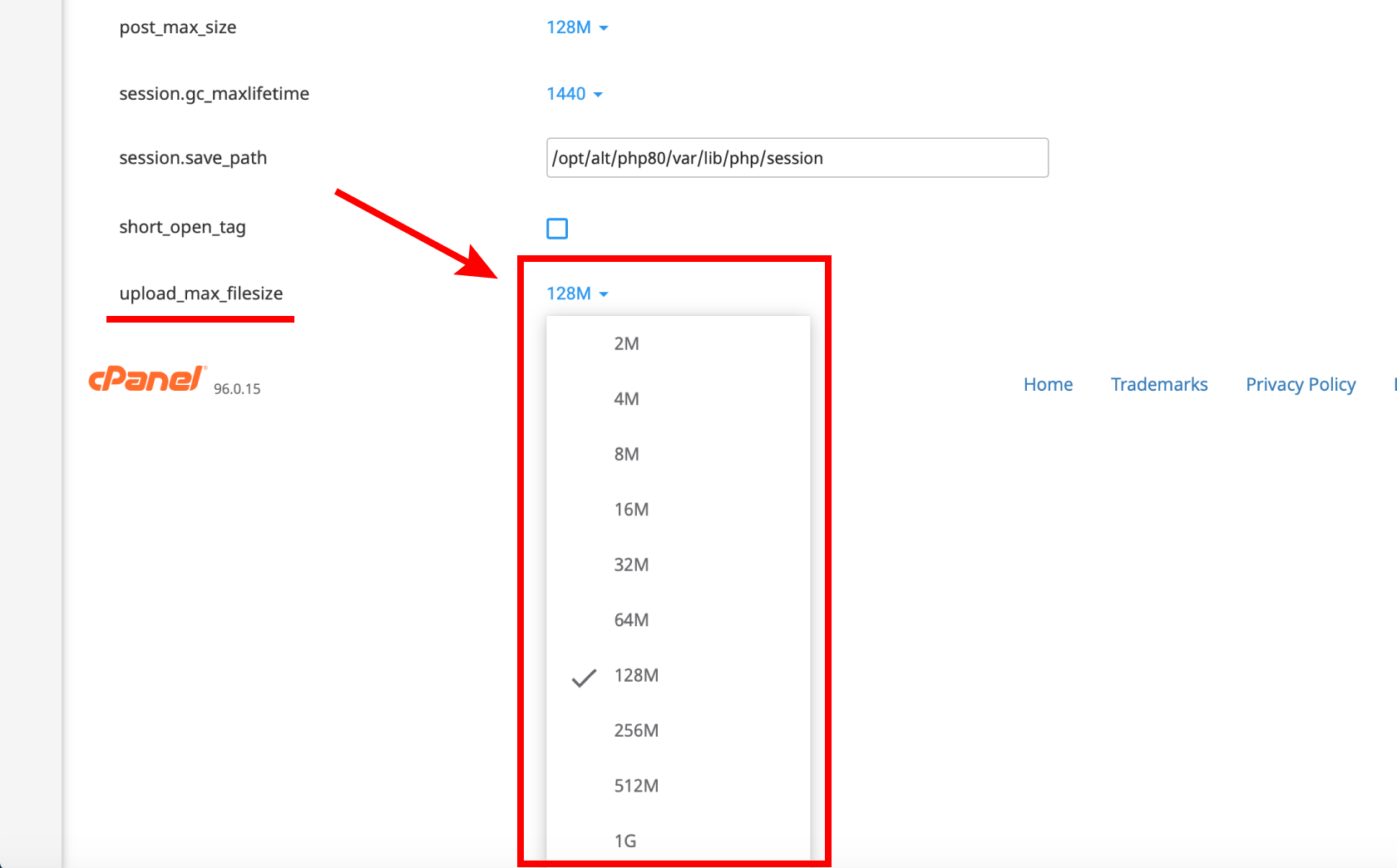
- Click the upload_max_filesize PHP value, select an option and click Apply.
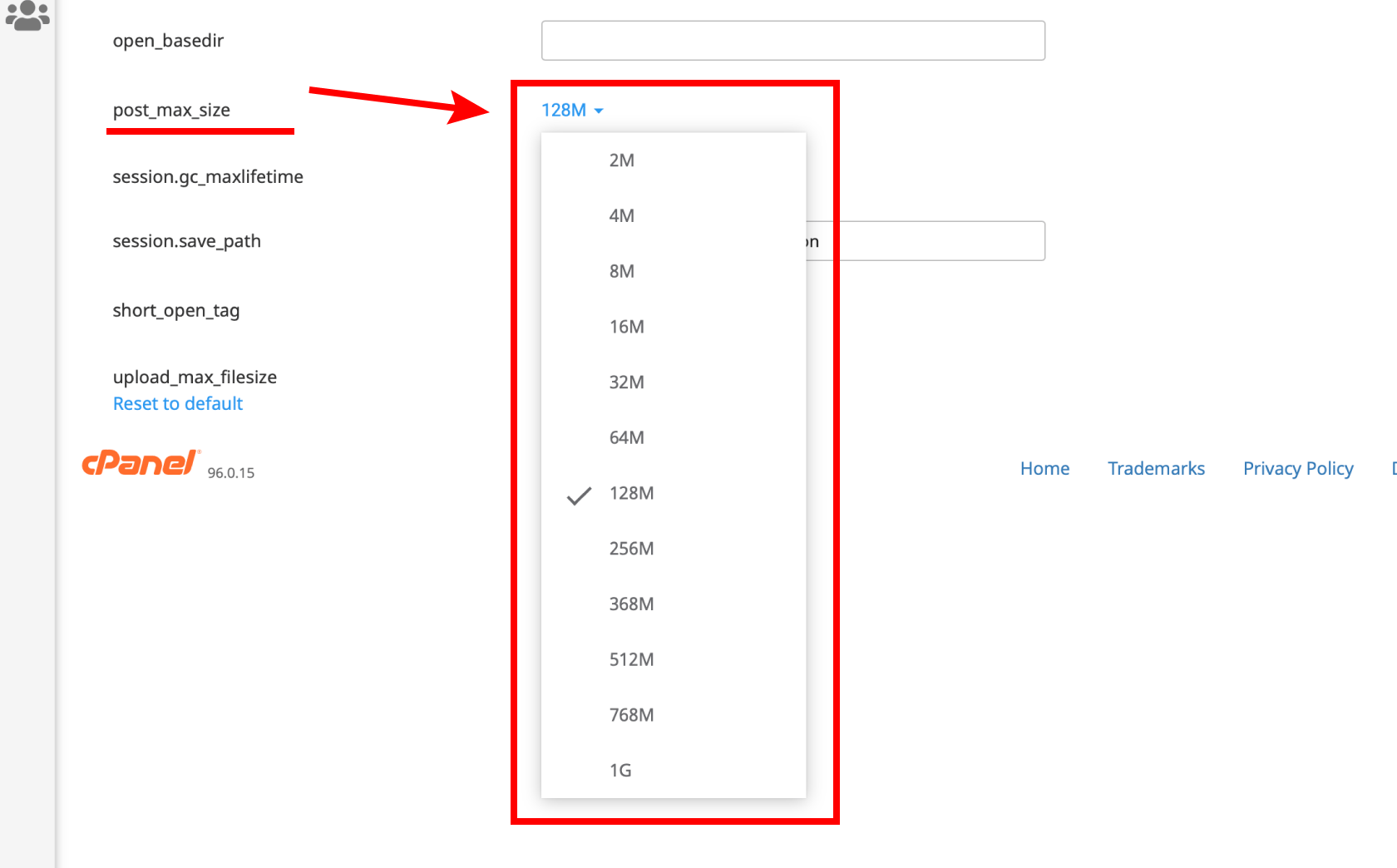
- Click the post_max_size PHP value, select an option and click Apply.
- Click Save to apply your new PHP upload_max_filesize setting.
